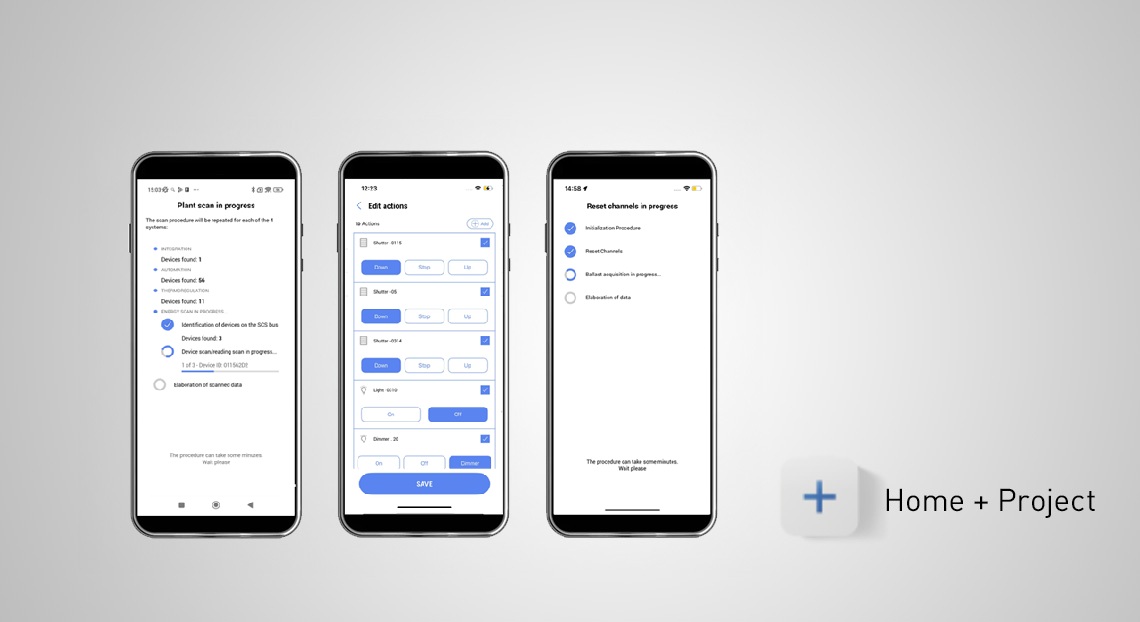
BTicino regularly updates the Home + Project app to simplify MyHOME system configuration. Five new features have been introduced to simplify and speed up system commissioning:
Optimized system scan procedure
Scanning the MyHome system is a crucial step. Scanning times have been optimized to more quickly identify devices, which are then displayed to the installer for the necessary actions. You can now choose between a full scan or partial scan by device category: temperature control, automation, energy management, etc.
New procedure for deleting an object from a scenario
In MyHome installations, you can now quickly remove an object from a custom scenario. Since version 1.2.30 of Home + Project, this operation can be performed using quick actions, without having to repeat the entire wizard, resulting in significant time savings.
Resetting a single DALI channel
In MyHOME installations with DALI lamps, adding previously configured ballasts may generate duplicate addresses. To avoid this, instead of resetting the entire F429D/F429G gateway with complete ballast redirection, the new function allows a targeted reset of just the affected channel, reducing time and interventions, especially in larger systems.
Storing the Classe 300EOS internal unit's QR code
With the Classe 300EOS used as a server, it will no longer be necessary to scan the device's QR code multiple times. The new function memorizes the QR code upon initial connection in the Home + Project app, avoiding repeated scans and making system access much quicker.
Deactivating the Home + Control app from the system
In a MyHOME system, it is now possible to temporarily deactivate the Home + Control app without external intervention. The new version of Home + Project allows the installer to disable and then restore control via the F460 or Classe 300EOS servers, avoiding the need for support from the BTicino back office and simplifying the management of periods of “non-use” of the system in short-term rental properties or those up for sale.